
Latitude 3340の破滅とi3 on FreeBSDの復活のこと(Latitude 7390に転生)
今日は2026年10月25日。 個人の翻訳事務所ヒノトリホンヤクの本店がある場所(東京都日野市です)の天気は、雨模様。
最高気温は24°Cくらいです。ちょっと蒸し暑いです。
今回のお話は、
● FreeBSD 15.0-RELEASEをインストールして、i3 Window Managerをセットアップして気に入っていたマシンがあった。
● そのマシンは DELL Latitude 3340。 CPUはCore i5だった。
● Latitude 3340のCPU冷却ファンが故障。 激アツになり、排気口から異臭もしてきた。
● i3 Window Manager環境についてはすでに秘伝のタレ化していたので、失うのは惜しすぎる。
● 新たにDELL Latitude 7390(もちろん中古)を購入した。
● AIのClaudeさんに助けてもらいながら、3340のソフトウェア環境をZFSのスナップショット機能を使って救出、7390に移植した。
● 時間はかかったが、やはりi3 Window Managerは速くて軽くてサイコー
…というものです。
DELL Latitude 7390は、こんな外観のマシンです。
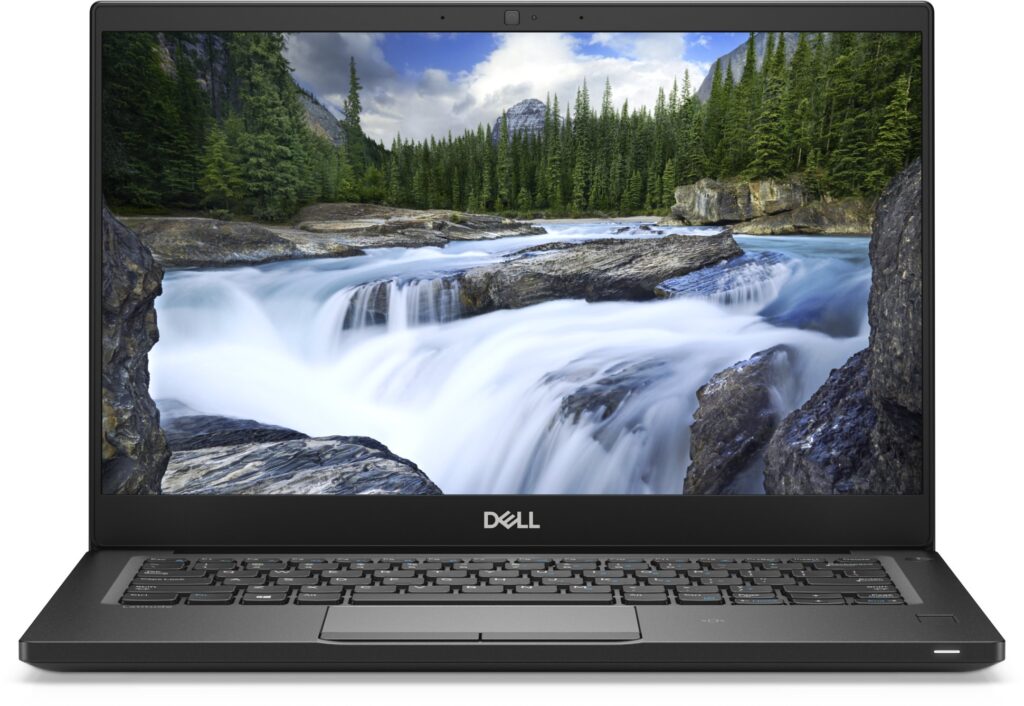
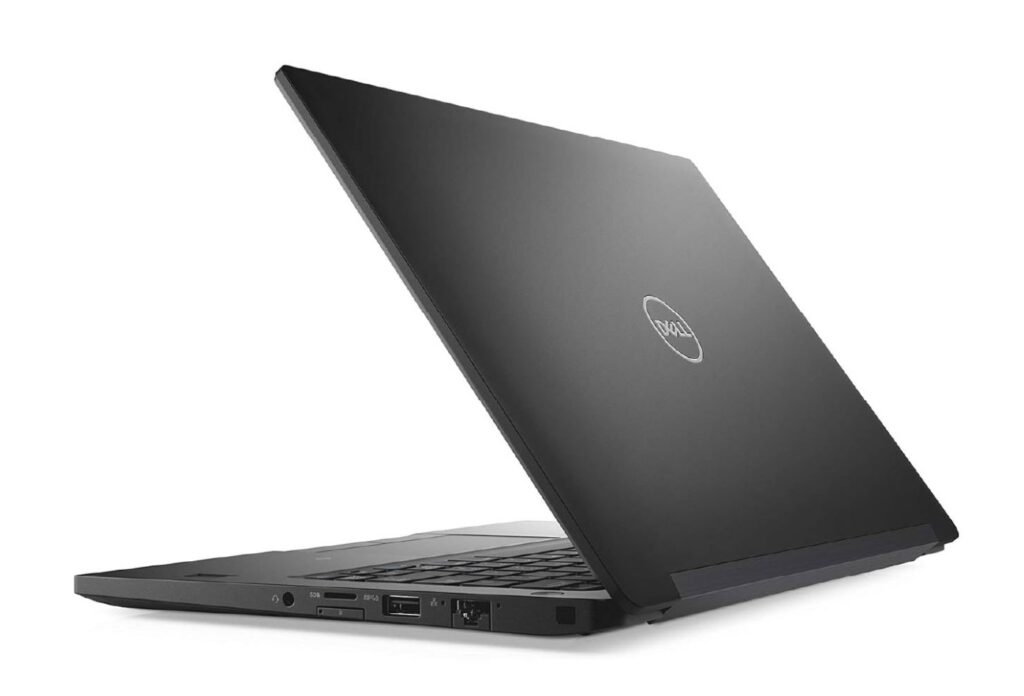
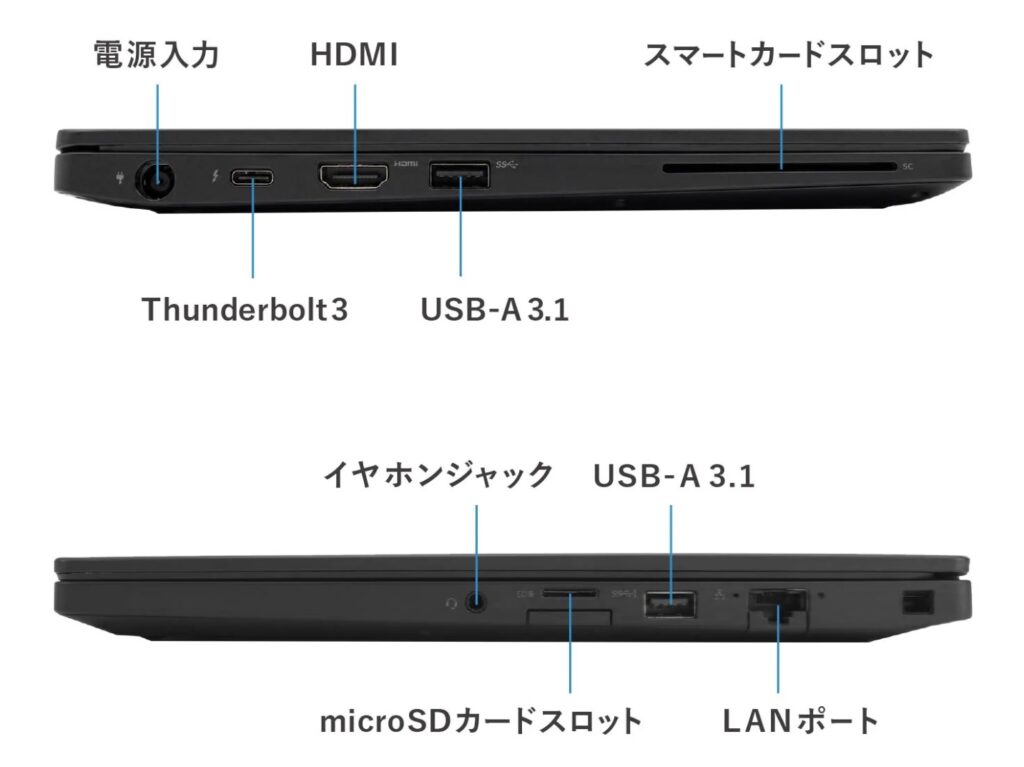
カッコイイですね。笑
特に、Ethernetのポートがあるところが。
いろいろな設定ファイルは以下のような感じです。
Section "InputClass"
    Identifier "libinput touchpad catchall"
    MatchIsTouchpad "on"
    Driver "libinput"
    Option "DisableWhileTyping" "on"
    Option "Tapping" "on"
    Option "NaturalScrolling" "true"
EndSection
#
### this file is
### /usr/local/etc/X11/xorg.conf.d/90-touchpad.conf
### created by hinotori-honyaku on 2026-10-22 on Latitude 7390
### FreeBSD 15.1-REL   i3 Window Manager
#
# 2026-09-21 copy of /usr/local/etc/doas.conf
# latitude 7390 (FreeBSD 15.1-R )
# i3 window manager
#
permit persist keepenv :wheel
#
permit persist keepenv hinotori-honyaku as root
#
/etc/rc.conf の中身。
hostname="latitude-7390-bsd"
keymap="jp.capsctrl.kbd"
ifconfig_em0="DHCP"
ifconfig_em0_ipv6="inet6 accept_rtadv"
sshd_enable="YES"
ntpd_enable="YES"
powerd_enable="YES"
moused_enable="YES"
# Set dumpdev to "AUTO" to enable crash dumps, "NO" to disable
dumpdev="AUTO"
zfs_enable="YES"
# Added by auto-admin from desktop-installer
ntpdate_enable="YES"
# End auto-admin addition
# Added by auto-admin from desktop-installer
ntpdate_flags="-u pool.ntp.org"
# End auto-admin addition
# Added by auto-admin from desktop-installer
nfs_client_enable=YES
# End auto-admin addition
# Added by auto-admin from desktop-installer
rpc_statd_enable=YES
# End auto-admin addition
# Added by auto-admin from desktop-installer
rpc_lockd_enable=YES
# End auto-admin addition
# Added by auto-admin from /usr/local/sbin/auto-autofs-nfs-setup
autofs_enable=YES
# End auto-admin addition
# Added by auto-admin from desktop-installer
devd_enable=YES
# End auto-admin addition
# Added by auto-admin from desktop-installer
devfs_system_ruleset="system"
# End auto-admin addition
# Added by auto-admin from desktop-installer
dbus_enable=YES
# End auto-admin addition
kld_list="/boot/modules/i915kms.ko"
#
#
#
wlans_rtwn0="wlan0"
ifconfig_wlan0="WPA DHCP"
#
#   following six lines copied from /etc/rc.conf of
#   latitude 3340 (FreeBSD 15.0-R)
#   i3 Window Manager
#   by hinotori-honyaku on 2026-10-03 manually #
dsbmd_enable="YES"
fuse_enable="YES"
linux_enable="YES"
ubuntu_enable="YES"
samba_server_enable="YES"
sshd_enable="YES"
/boot/loader.conf の中身。
kern.geom.label.disk_ident.enable="0"
kern.geom.label.gptid.enable="0"
zfs_load="YES"
# Added by auto-admin from desktop-installer
uplcom_load="YES"
# End auto-admin addition
# Added by auto-admin from desktop-installer
ng_ubt_load="YES"
# End auto-admin addition
#
# #### added by hinotori-honyaku on 2026-10-03 (fuse_load="YES")
fuse_load="YES"
###
#### adding the following wifi dongle line. hinotori-honyaku on 2026-10-22 (if_rtwn_load="YES")
if_rtwn_load="YES"
/etc/sysctl.conf の中身。
#
#  This file is read when going to multi-user and its contents piped thru
#  ``sysctl'' to adjust kernel values.  ``man 5 sysctl.conf'' for details.
#

# Uncomment this to prevent users from seeing information about processes that
# are being run under another UID.
#security.bsd.see_other_uids=0
vfs.zfs.vdev.min_auto_ashift=12
# Added by auto-admin from /usr/local/sbin/auto-set-lid-switch-mode
hw.acpi.lid_switch_state=S5
# End auto-admin addition
# Added by auto-admin from desktop-installer
vfs.usermount=1
# End auto-admin addition
#
# 2026-10-03 adding 5 lines about sound, by hinotori-honyaku
# copying from /etc/sysctl.conf of
# latitude 3340 -FreeBSD 15.0-R-
# i3 window manager
#
hw.snd.vpc_0db=45
hw.snd.vpc_mixer_bypass=1
hw.snd.default_unit=1
hw.snd.latency=2
hw.snd.feeder_rate_quality=1
~/.xinitrc の中身。
#!/bin/sh
###
###
### adding setxkbmap on Mar. 12, 2026 manually - hinotori-honyaku
setxkbmap -layout jp -option ctrl:swapcaps &
##
### adding picom compositor on Mar. 16, 2026 manually by - hinotori-honyaku
picom --backend glx --vsync &
##
### adding locale settings on Mar. 15, 2026 manually - hinotori-honyaku
#
export	EDITOR=vim
export	LANG=ja_JP.UTF-8
export	LC_ALL=ja_JP.UTF-8
export	LC_CTYPE=ja_JP.UTF-8
#
### adding Fcitx5 related on Mar. 12, 2026 manually - hinotori-honyaku
export XMODIFIERS=@im=fcitx
export GTK_IM_MODULE=fcitx
export QT_IM_MODULE=fcitx
# fcitx5 -d &
fcitx5 --replace -d &
###
###
export XDG_CURRENT_DESKTOP=GNOME
### above export XDG_CURRENT_DESKTOP=GNOME was inserted by hinotori-honyaku on Mar. 17, 2026
### guided by Gemini AI. To solve the DSBMc icon issue.
#
networkmgr &
# clipit &
# dsbmixer &
# dsbmc -i &
#
### added "exec i3" on Mar. 12, 2026 manually by hinotori-honyaku
# exec i3
### modified by hinotori-honyaku on Mar. 17, 2026. Issue on fcitx5 failure on boot. ###
exec dbus-launch --sh-syntax --exit-with-session i3
~/.fehbg の中身。
#!/bin/sh
# /usr/local/bin/feh --no-fehbg --bg-scale '/home/hinotori-honyaku/Wallpapers/pexels-photo-27756938.jpeg'
# /usr/local/bin/feh --no-fehbg --bg-scale '/home/hinotori-honyaku/Wallpapers/Pinball-American-Graffiti-1366-768.jpg'
/usr/local/bin/feh --no-fehbg --bg-scale '/home/hinotori-honyaku/Wallpapers/481495-Geffen-Contemporary-At-Moca.jpg'
~/.config/i3/config の中身。
#########
########
######## the copy of /home/hinotori-honyaku/.config/i3/config
######## on 2026-03-25
######## - hinotori-honyaku
########
# This file has been auto-generated by i3-config-wizard(1).
# It will not be overwritten, so edit it as you like.
#
# Should you change your keyboard layout some time, delete
# this file and re-run i3-config-wizard(1).
#

# i3 config file (v4)
#
# Please see https://i3wm.org/docs/userguide.html for a complete reference!

set $mod Mod4

# Font for window titles. Will also be used by the bar unless a different font
# is used in the bar {} block below.
font pango:monospace 18

# This font is widely installed, provides lots of unicode glyphs, right-to-left
# text rendering and scalability on retina/hidpi displays (thanks to pango).
#font pango:DejaVu Sans Mono 8


###### set wallpaper on Mar. 15, 2026 by hinotori-honyaku manually
# ファイル .fehbg はユーザが作ったシェルスクリプト。
#
exec --no-startup-id ~/.fehbg
#
#
#
# Start XDG autostart .desktop files using dex. See also
# https://wiki.archlinux.org/index.php/XDG_Autostart
exec --no-startup-id dex --autostart --environment i3

# The combination of xss-lock, nm-applet and pactl is a popular choice, so
# they are included here as an example. Modify as you see fit.

# xss-lock grabs a logind suspend inhibit lock and will use i3lock to lock the
# screen before suspend. Use loginctl lock-session to lock your screen.
exec --no-startup-id xss-lock --transfer-sleep-lock -- i3lock --nofork

# NetworkManager is the most popular way to manage wireless networks on Linux,
# and nm-applet is a desktop environment-independent system tray GUI for it.
exec --no-startup-id nm-applet

# Use pactl to adjust volume in PulseAudio.
set $refresh_i3status killall -SIGUSR1 i3status
bindsym XF86AudioRaiseVolume exec --no-startup-id pactl set-sink-volume @DEFAULT_SINK@ +10% && $refresh_i3status
bindsym XF86AudioLowerVolume exec --no-startup-id pactl set-sink-volume @DEFAULT_SINK@ -10% && $refresh_i3status
bindsym XF86AudioMute exec --no-startup-id pactl set-sink-mute @DEFAULT_SINK@ toggle && $refresh_i3status
bindsym XF86AudioMicMute exec --no-startup-id pactl set-source-mute @DEFAULT_SOURCE@ toggle && $refresh_i3status

# Use Mouse+$mod to drag floating windows to their wanted position
floating_modifier $mod

# move tiling windows via drag & drop by left-clicking into the title bar,
# or left-clicking anywhere into the window while holding the floating modifier.
tiling_drag modifier titlebar

# start a terminal
bindsym $mod+Return exec i3-sensible-terminal

# kill focused window
bindsym $mod+Shift+q kill

# start dmenu (a program launcher)
# bindsym $mod+d exec --no-startup-id dmenu_run
# A more modern dmenu replacement is rofi:
# bindcode $mod+40 exec "rofi -modi drun,run -show drun"
bindsym $mod+d exec "rofi -modi drun,run -show drun"
# There also is i3-dmenu-desktop which only displays applications shipping a
# .desktop file. It is a wrapper around dmenu, so you need that installed.
# bindcode $mod+40 exec --no-startup-id i3-dmenu-desktop

# change focus
bindsym $mod+j focus left
bindsym $mod+k focus down
bindsym $mod+l focus up
bindsym $mod+semicolon focus right

# alternatively, you can use the cursor keys:
bindsym $mod+Left focus left
bindsym $mod+Down focus down
bindsym $mod+Up focus up
bindsym $mod+Right focus right

# move focused window
bindsym $mod+Shift+j move left
bindsym $mod+Shift+k move down
bindsym $mod+Shift+l move up
bindsym $mod+Shift+semicolon move right

# alternatively, you can use the cursor keys:
bindsym $mod+Shift+Left move left
bindsym $mod+Shift+Down move down
bindsym $mod+Shift+Up move up
bindsym $mod+Shift+Right move right

# split in horizontal orientation
bindsym $mod+h split h

# split in vertical orientation
bindsym $mod+v split v

# enter fullscreen mode for the focused container
bindsym $mod+f fullscreen toggle

# change container layout (stacked, tabbed, toggle split)
bindsym $mod+s layout stacking
bindsym $mod+w layout tabbed
bindsym $mod+e layout toggle split

# toggle tiling / floating
bindsym $mod+Shift+space floating toggle

# change focus between tiling / floating windows
bindsym $mod+space focus mode_toggle

# focus the parent container
bindsym $mod+a focus parent

# focus the child container
#bindsym $mod+d focus child

# Define names for default workspaces for which we configure key bindings later on.
# We use variables to avoid repeating the names in multiple places.
set $ws1 "1"
set $ws2 "2"
set $ws3 "3"
set $ws4 "4"
set $ws5 "5"
set $ws6 "6"
set $ws7 "7"
set $ws8 "8"
set $ws9 "9"
set $ws10 "10"

# switch to workspace
bindsym $mod+1 workspace number $ws1
bindsym $mod+2 workspace number $ws2
bindsym $mod+3 workspace number $ws3
bindsym $mod+4 workspace number $ws4
bindsym $mod+5 workspace number $ws5
bindsym $mod+6 workspace number $ws6
bindsym $mod+7 workspace number $ws7
bindsym $mod+8 workspace number $ws8
bindsym $mod+9 workspace number $ws9
bindsym $mod+0 workspace number $ws10

# move focused container to workspace
bindsym $mod+Shift+1 move container to workspace number $ws1
bindsym $mod+Shift+2 move container to workspace number $ws2
bindsym $mod+Shift+3 move container to workspace number $ws3
bindsym $mod+Shift+4 move container to workspace number $ws4
bindsym $mod+Shift+5 move container to workspace number $ws5
bindsym $mod+Shift+6 move container to workspace number $ws6
bindsym $mod+Shift+7 move container to workspace number $ws7
bindsym $mod+Shift+8 move container to workspace number $ws8
bindsym $mod+Shift+9 move container to workspace number $ws9
bindsym $mod+Shift+0 move container to workspace number $ws10

# reload the configuration file
bindsym $mod+Shift+c reload
# restart i3 inplace (preserves your layout/session, can be used to upgrade i3)
bindsym $mod+Shift+r restart
# exit i3 (logs you out of your X session)
bindsym $mod+Shift+e exec "i3-nagbar -t warning -m 'You pressed the exit shortcut. Do you really want to exit i3? This will end your X session.' -B 'Yes, exit i3' 'i3-msg exit'"

# resize window (you can also use the mouse for that)
mode "resize" {
        # These bindings trigger as soon as you enter the resize mode

        # Pressing left will shrink the window’s width.
        # Pressing right will grow the window’s width.
        # Pressing up will shrink the window’s height.
        # Pressing down will grow the window’s height.
        bindsym j resize shrink width 10 px or 10 ppt
        bindsym k resize grow height 10 px or 10 ppt
        bindsym l resize shrink height 10 px or 10 ppt
        bindsym semicolon resize grow width 10 px or 10 ppt

        # same bindings, but for the arrow keys
        bindsym Left resize shrink width 10 px or 10 ppt
        bindsym Down resize grow height 10 px or 10 ppt
        bindsym Up resize shrink height 10 px or 10 ppt
        bindsym Right resize grow width 10 px or 10 ppt

        # back to normal: Enter or Escape or $mod+r
        bindsym Return mode "default"
        bindsym Escape mode "default"
        bindsym $mod+r mode "default"
}

bindsym $mod+r mode "resize"

# Start i3bar to display a workspace bar (plus the system information i3status
# finds out, if available)
#####
## i3bar is disabled by harry manually. On Mar. 17, 2026 #
##
##
# bar {
#        status_command i3status
# }
#
#
exec_always --no-startup-id clipit
exec_always --no-startup-id dsbmixer -i
exec_always --no-startup-id dsbmc -i

## polybar is launched instead of the i3bar. written by hinotori-honyaku on Mar. 17, 2026 ##
exec_always --no-startup-id ~/.config/polybar/launch.sh
##### some apps should be launched in floated mode. #####
##### added by hinotori-honyaku on Mar. 25, 2026 #####
#####
#####
for_window [class="Pcmanfm"] floating enable, resize set 1024 700
for_window [class="Thunar"] floating enable, resize set 1024 700
for_window [class="com.sayonara-player.Sayonara"] floating enable, resize set 1500 900
for_window [class="Deadbeef"] floating enable, resize set 400 300
for_window [class="Geany"] floating enable, resize set 1024 500
for_window [class="vlc"] floating enable, resize set 1024 700
for_window [class="smplayer"] floating enable, resize set 1024 700
# for_window [class="mpv"] floating enable, resize set 1024 690
~/.config/polybar/launch.sh の中身。
#!/bin/sh

### Kill the polybar that is running already. ###
killall -q polybar

### Wait and stand-by till the polybar is gone. ###
while pgrep -x polybar >/dev/null; do
    sleep 1
done

### Launch a new polybar ###
polybar  --config=$HOME/.config/polybar/config.ini mybar >/dev/null 2>&1 &

### this ~/.config/polybar/launch.sh is written by hinotori-honyaku on Mar. 17, 2026 guided by Gemini AI ###
~/.config/polybar/config.ini の中身。
[bar/mybar]
width = 100%
height = 28pt
radius = 0

background = #2e3440
foreground = #d8dee9

line-size = 3pt

padding-left = 1
padding-right = 1

module-margin = 1

separator = |
separator-foreground = #4c566a

; フォント設定 Nerd Fontはインストール済みなので
font-0 = "Noto Sans JP:size=11;2"
font-1 = "Symbols Nerd Font:size=11;2"

; modules layout (allignment)
modules-left = xworkspaces
modules-center = xwindow
modules-right = cpu memory date systray

[module/systray]
type = internal/tray
tray-spacing = 8pt

[module/xworkspaces]
type = internal/xworkspaces
label-active = %name%
label-active-background = #4c566a
label-active-underline = #88c0d0
label-active-paddig = 1
label-occupied = %name%
label-occupied-paddig = 1
label-urgent = %name%
label-urgent-background = #bf616a
label-urgent-paddig = 1
label-empty = %name%
label-empty-foreground = #4c566a
label-empty-paddig = 1

[module/xwindow]
type = internal/xwindow
label = %title:0:60:...%

[module/cpu]
type = internal/cpu
interval = 2
format-prefix ="CPU "
label = %percentage:2%%

[module/memory]
type = internal/memory
interval = 2
format-prefix ="RAM "
label = %percentage_used:2%%

[module/date]

type = internal/date
interval = 1
date = %Y-%m-%d %H:%M-%S
label = %date%
~/.config/rofi/config.rasi の中身。
/* Created by hinotori-honyaku on Mar. 16, 2026 manually. Guided by Gemini AI.*/
/* */
configuration {
    /* 1. Font wo meijiteki ni shitei. Size mo chousei kanou. */
    /* font: "Noto Sans JP 12"; */
    font: "Migu 1c 18";

    /* 2. Application execution mode (drun) mode etc. wo activate. */
    modi: "window,drun,ssh,run";
    show-icons: true;
}

/* 3. Here we are going to fine-tune the look and feel (theme) */
@theme "/dev/null"
/* For now we will clear the default theme. */

* {
    background-color: #2e3440; /* haikei no iro. okonomi de */
    text-color: #d8dee9; /* moji iro */
    padding: 0;
    margin: 0;
}

window {
    width: 35%;
    border: 2px;
    border-color: #4c566a;
    padding: 20px;
}

element {
    /* Koko ga mojino shita ga kakureru no wo fusegu point. */
    /* Jouge ni 10px, Sayuu ni 15px no yohaku wo tsukurimasu. */
    padding: 2px 15px;
}

element selected {
    background-color: #4c566a;
    text-color: #eceff4;
}
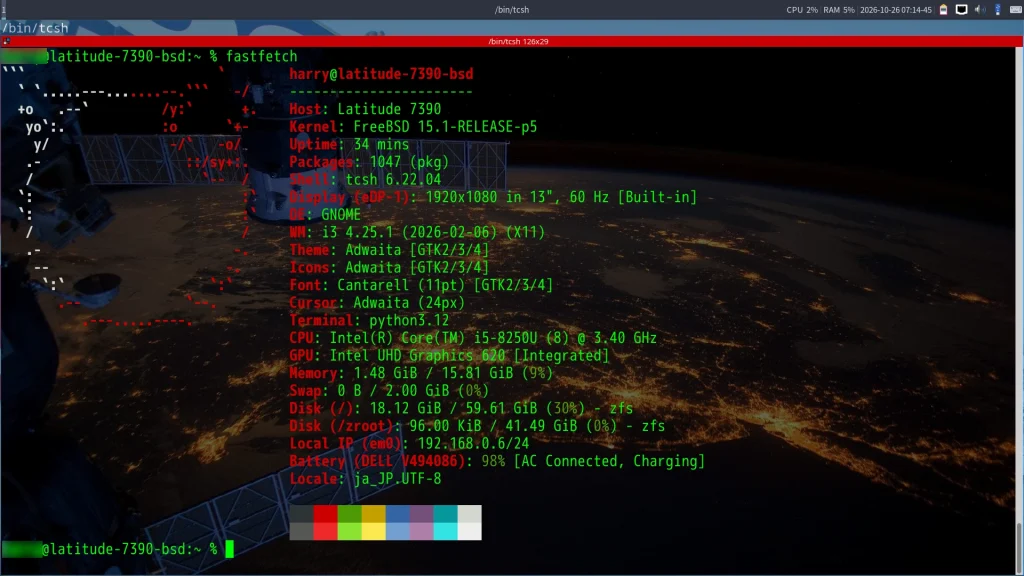
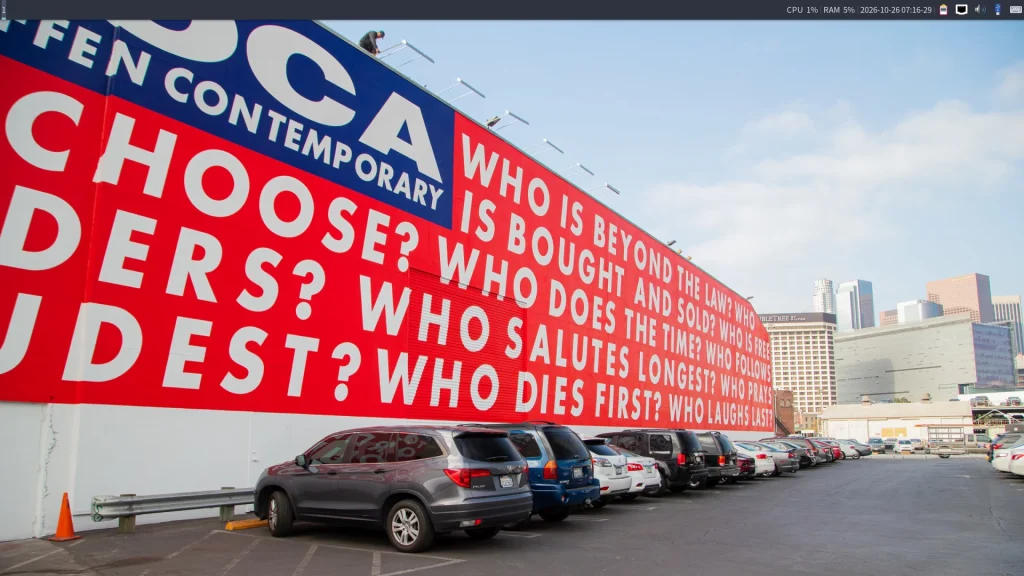
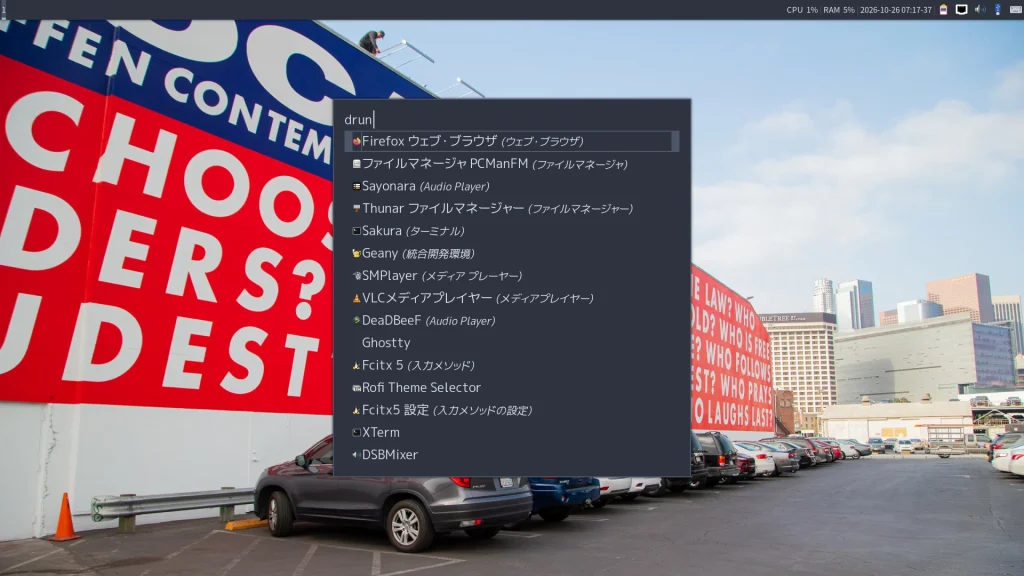
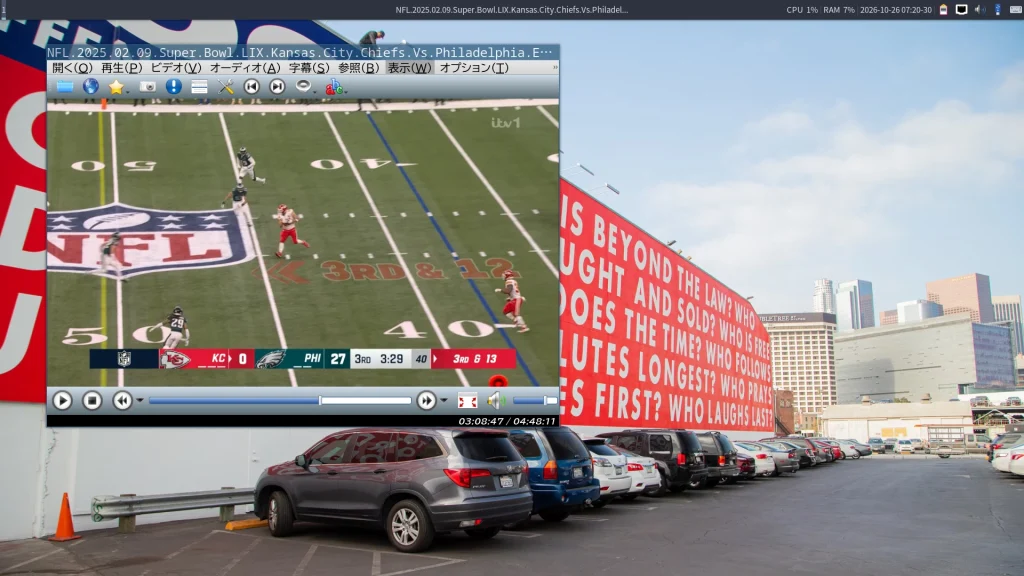
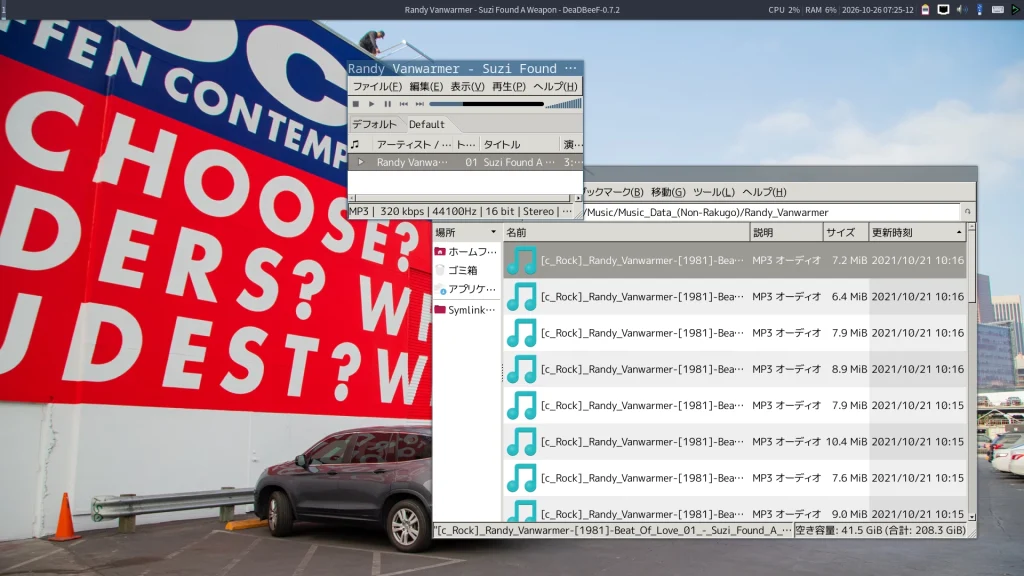
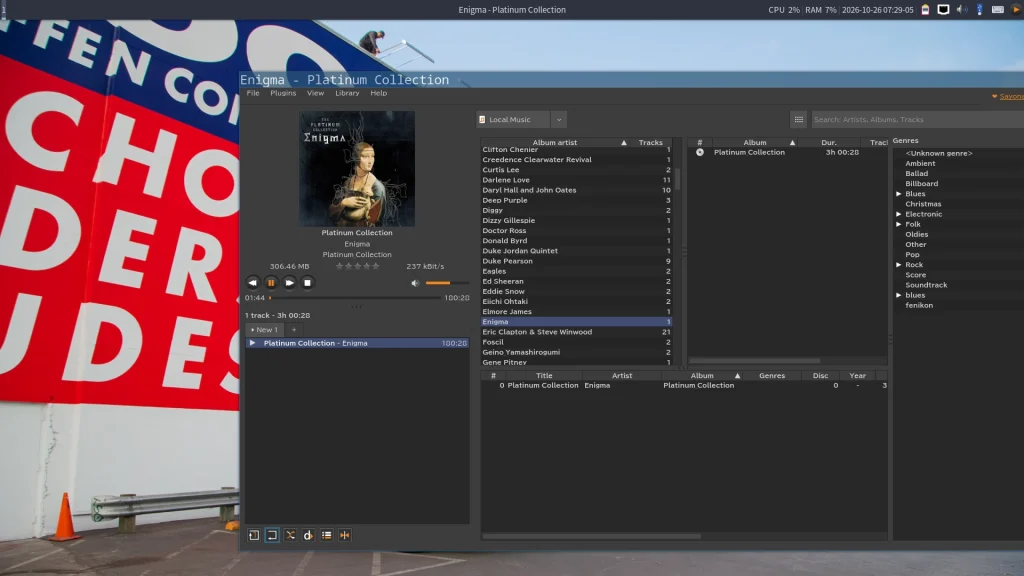
ここで、恒例のスクリーンショットドヤリングです。 「タイリングウインドウマネージャーだぞ。どやっ」という要素はちょっと薄いですが…。笑
私もまだまだ修行が足りないというかなんというか。
タイリングウィンドウマネージャーは好きなのですが、まだOpenboxとLabwcのクセが抜けない。
エンジニアじゃないので、しょせんは1日中コードを書いているわけじゃないです。
でもね、この年齢になると、自分の思う通りにならない「予測誤差」をわざわざ拾いにいかなくちゃいかんと思うのですよ。
うまく行かないから、FreeBSDは楽しい。
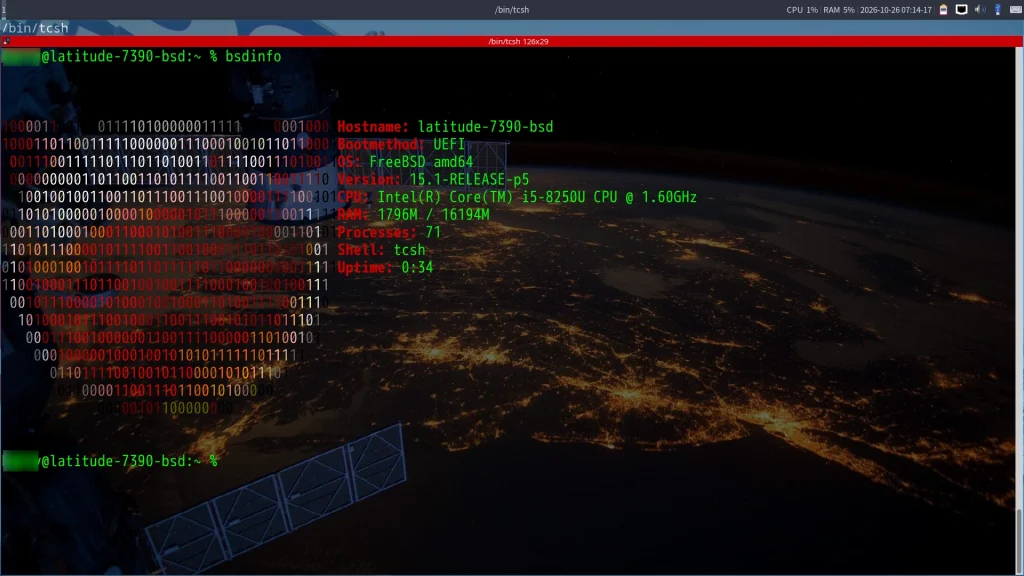
というわけで、今回はここまで。
皆さまも、良きFreeBSDライフを。
i3もOpenboxもLabwcも、楽しいですよ。